Sad News Alert

Moira Rose is DEAD!

Ive started the capture again, Haven't changed a massive amount in the code, just the number of captures before it transfers to the nas and some delays inbetween shots.

This is the first test with the glued up gate that i mentioned earlier.

So far its got past the section in the film that was consistently slipping, so hopefully this just finishes with no hiccups.

If it does finish without issue, im gonna attempt to implement a resume feature, just incase something interrupts the process.

I have no idea what the best post processing steps are, ive gotta research that 😭

Regarding how long it takes to scan a 50ft reel... Well the answer is, To fucking long.

Ignoring the first 5 frames, which are REALLY slow and used as learning frames, I would say on average its taking about 10 seconds to capture the frame, That doesnt include moving / aligning the film.

So, assuming around 2900 frames per 3 minute (50ft) reel, it would take 8 FUCKING HOURS.

Heres the thing, Im not sure how much i can do to speed that up. Moving the film doesn't take a massive amount of time, so its not like i can cut the move time down a great deal. The main time hog is the capturing process.

I will admit, i think what im doing at the moment is probably overkill, but i would rather do to much than not enough and end up having to capture the whole reel again.

This is what im doing...

Each frame is captured using 5 HDR brackets: one at normal exposure (0EV), plus two overexposed (+1EV and +2EV) and two underexposed (-1EV and -2EV). I based that off some posts ive seen on the kinograph.cc forum, which seems to suggest that 8mm film has a pretty high dynamic range.

The biggest speed increase would be knocking it down to 3 exposures from 5.. i think.

I set the first film to digitize last night. It mostly worked, but there is some issues.

First of all, The gate, I had to take the gate apart this morning as there was just the tiniest gap inbetween from and back of the gate, the film would slightly slip into the gap and cause some unnecessary friction. Ive took it apart and put a tiny little bit of super glue along the bottom edge, put it back together and run some cardboard through the gate to make sure its a clear path for the film, I only just did that, so i haven't tested it yet.

Second thing is the rollers for advancing the film, it works most of the time, but sometimes it slips and isn't able to move the film, however, im hoping the modified gate will reduce that friction and give the rollers more of a chance to advance the film.

I changed the spring for the roller clamp arm thing to a tighter(?) spring, so now it puts more pressure on the film and should grip it better?πŸ€·β€β™‚οΈ

I havent actually done any of the take up reel side of things, im just letter the film gather for a little bit then manually rolling it on a reel. Primarily because the frame for the machine was only designed for a 3inch (50ft) reel, not the larger reels. I havent really decided what im going to do regarding larger reels, but i really dont wanna rebuild the entire thing again, so ill probably see if i can design an extender or something, which would give more room for larger reels.

I tell you what annoys me, When you see a big ass spider crawling along the wall, then kill it and take a picture to show someone how fucking big it is, and its all curled up into a tiny ass ball 😭

Absolute bargain 🀑

I swear to god that half my stuff goes in the bin when its "gone missing".

I was just about to put a strip of PEC-PAD on the wetgate and i couldn't find the PEC-PADS anywhere. Then i remembered that someone (not me) decided to "help" by "cleaning" my desk and somehow thought that a brand new pack of white cloth was just rubbish and threw it in the bin.

So i just had to dig through the wheely bin filled with nasty shit like fucking sanitary pads πŸ˜’

They cost me 17 fucking quid.

I replaced the vgrove roller thing from an old 3d printer with one of the rubber rollers i purchased for my scanner design from last year.

It was working quite well, but last night i was testing something and noticed it cant slip a little, so 2 rubber rollers should work better right?

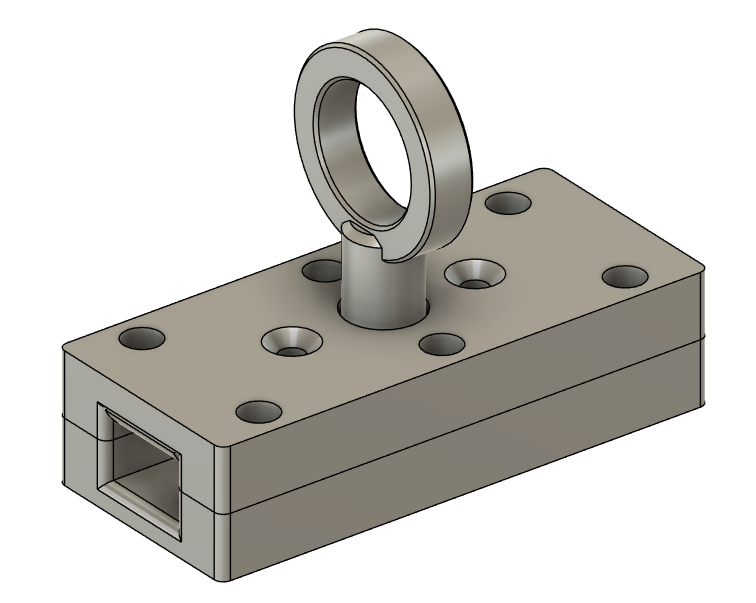
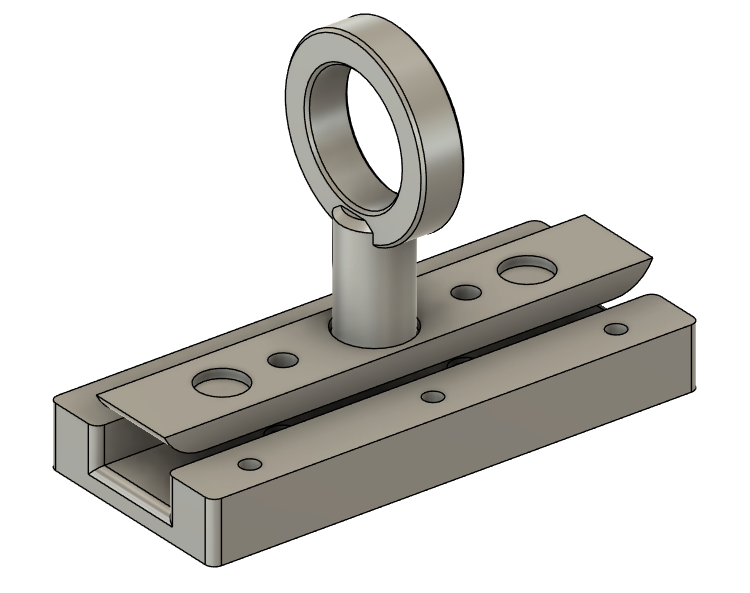
I added a little handle to pull the springy part up on the wetgate i made. I drastically underestimated how hard it would be to actually insert the film πŸ˜‚

The finger pull thing prints separately and is superglued in place.

i tried to add a usb drive to the pi to increase my storage, but the pi kept freaking out when its connected, probably because of the power the monitor is sucking up too.

Ive added network storage support for smb shares.

I havent tested it yet because ive left my film out of reach and im to lazy to get it. But it basically captures x number of frames and then transfers them to the network storage. If no network storage is configured, then the internal storage will be used.

Im thinking about how best to do the takeup reel stuff.

In the original python code he is using math to work out how much to turn the take up reel, but i think thats a little unreliable. If the thickness of the film, or the diameter of the center of the reel changes, it will mess up the calculations.

Im considering just adjusting the stepper motor vref to something high enough to be able to turn the reel, but low enough to slip when there is no film to take up. And just running that every 10 frames or so.

Ive spent all day boiling hot, thankfully not sweating tho.
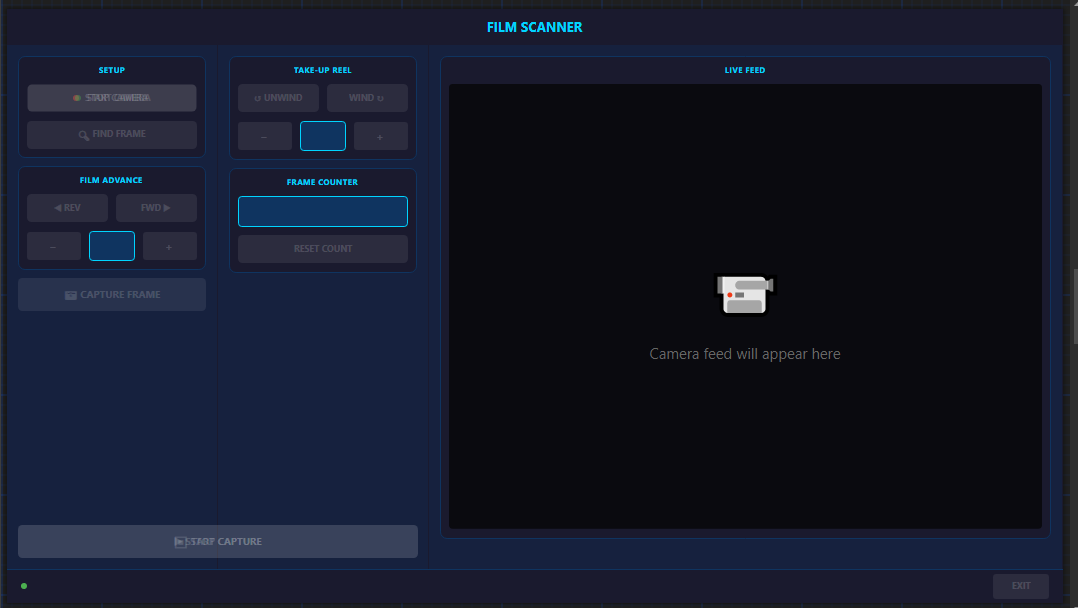
But ive also been working on the gui, and i think most of the main functionality is up and working.

It should be pretty self explanatory. the layout sucks ass, but it works and i wont be look at it all the time anyway.

So when you start the app, you have to turn the camera on, I dont know why i decided to have it boot without the camera on, but i did, so... πŸ€·β€β™‚οΈ

After turning the camera on, you can control the motors, (still need to implement the take up reel stuff).

The frame counter is more of a "session reset", the idea is that when you put a new film on the machine, u reset the counter.
Resetting the counter resets the frame count back to 0, but also changes the output image names to the current date/time. Behind the scenes, it also resets the learned count for that reel.

When you are ready to start scanning, press the "Find Frame" button, it will then advance the film very slowly until the sprocket holes are both detected. The start capture button will be enabled.

When pressing the Start capture button, it will capture the first frame immediately, it will then "learn" the film. Basically all it does is advance the film really slowly, counting the steps, when the next frame is found (the sprocket holes), it will capture the frame, and then slowly go to the next frame. It does 5 frames like this (or whatever you set it to in the config), then it uses the average number of steps on the motor it took to reach the next frame, and uses that (minus an offset) to get to the next frame. It saves a decent amount of time over the length of a reel of film.

I haven't finished yet, and i haven't tested how fast it is.
I will continue to work on it, but at the moment, im going to eat a fab lolly.

Just saw a massive fucking spider crawling along my ceiling. I went to kill it with a broom handle and missed, then it fell on the floor and now i cant find it😭

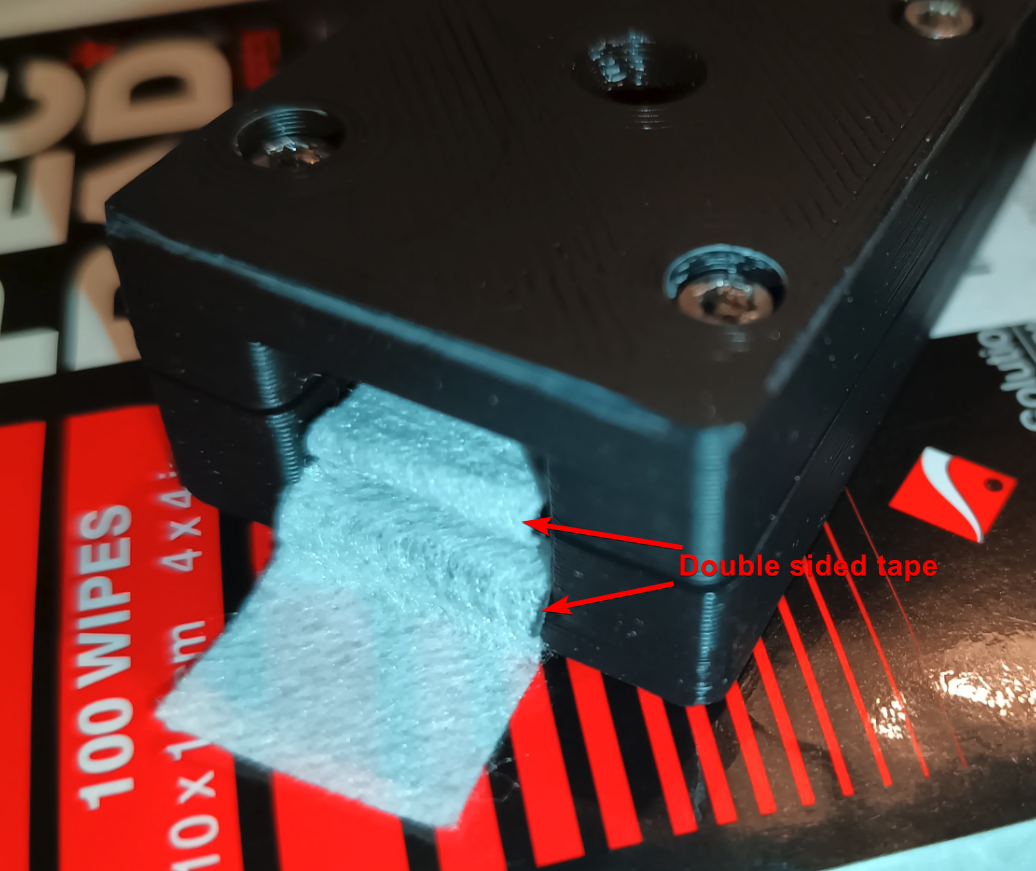
Just put the Pec Pads (Stupid name) in the wet gate

I cut them down to size, and used some double sided tape to hold the strips in place.

Those pads btw cost a fortune for what they are, it was like £17 for 100, im probably gonna use like 20 of them at most😭

Havent really touched the film scanner today, I did modify some code for the gui though.

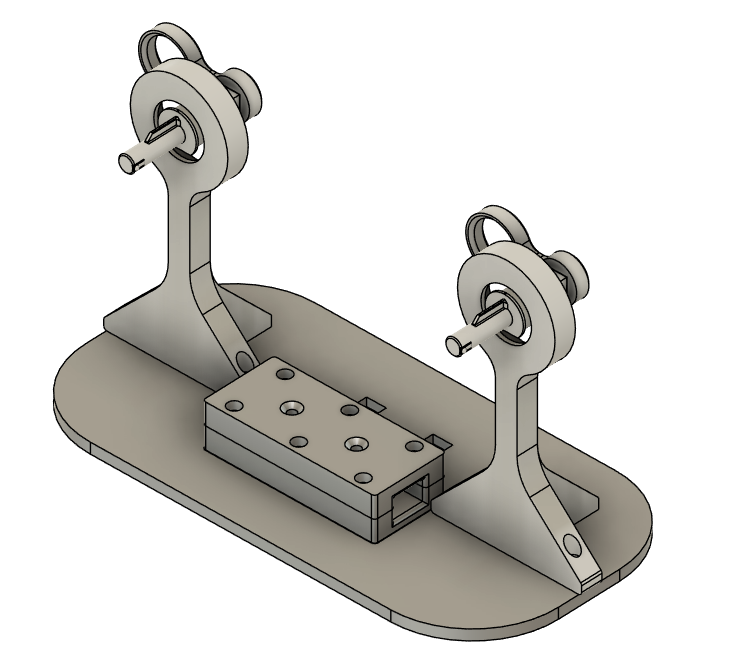
This is what ive been working on. Mainly the "wetgate" thing, the base and modifying the 2 winder things i found on thingiverse.

Ill tell u more when im not so... relaxed...πŸ˜‚

Oh, ive added hdr brackets to the config file, so i can add as many brackets as i want.

Talking of HDR, i really don't know whats best practice with that stuff. So im mostly using random forum posts to guide me. Oh and an article by adobe, which was surprisingly usefulπŸ€·β€β™‚οΈ

The adobe article says that 3 hdr brackets is usually enough for general photography, but looking around at forums that deal with digitizing film, most seem to say 3 or 5, purely because of the dynamic range of kodak film. So im probably going run a few tests on different parts of random film i have and see which turns out best, and wether or not the effort is worth the improvement.

Added a config file so i can modify the settings without having to recompile the entire thing and transfer it across.

Ive also found a better diffuser.
Last night i was fucking about with some things and accidentally focused the camera on the paper i was using as a diffuser, and it just looks like grey clouds, which didnt seem right.

Finding a real diffuser on amazon is no easier than it was the other day, but i do have one of those weird "selfie" lights, i used to use it as a nightlight when on holiday (dont you judge me), anyway, ive pulled the diffuser out of that and its so much less noisy.

It did fuck up my white balance and exposure settings, but that was easily fixed.

btw, i have no idea about camera and the like, but when i swapped the diffuser over, the exposure values changed dramatically. With the paper i was using a shutter speed of 3493us, with the real diffuser, its 665... πŸ€·β€β™‚οΈ

Spent the day making sure the alignment in the capture area is correct, the white balance is correct and the exposure.

Im not really sure what im doing regarding the "hdr" exposures, so i just have them take a picture with +1, 0 and -1 "stop", whatever that means.

The find frame thing is working much better since sorting the balance out.

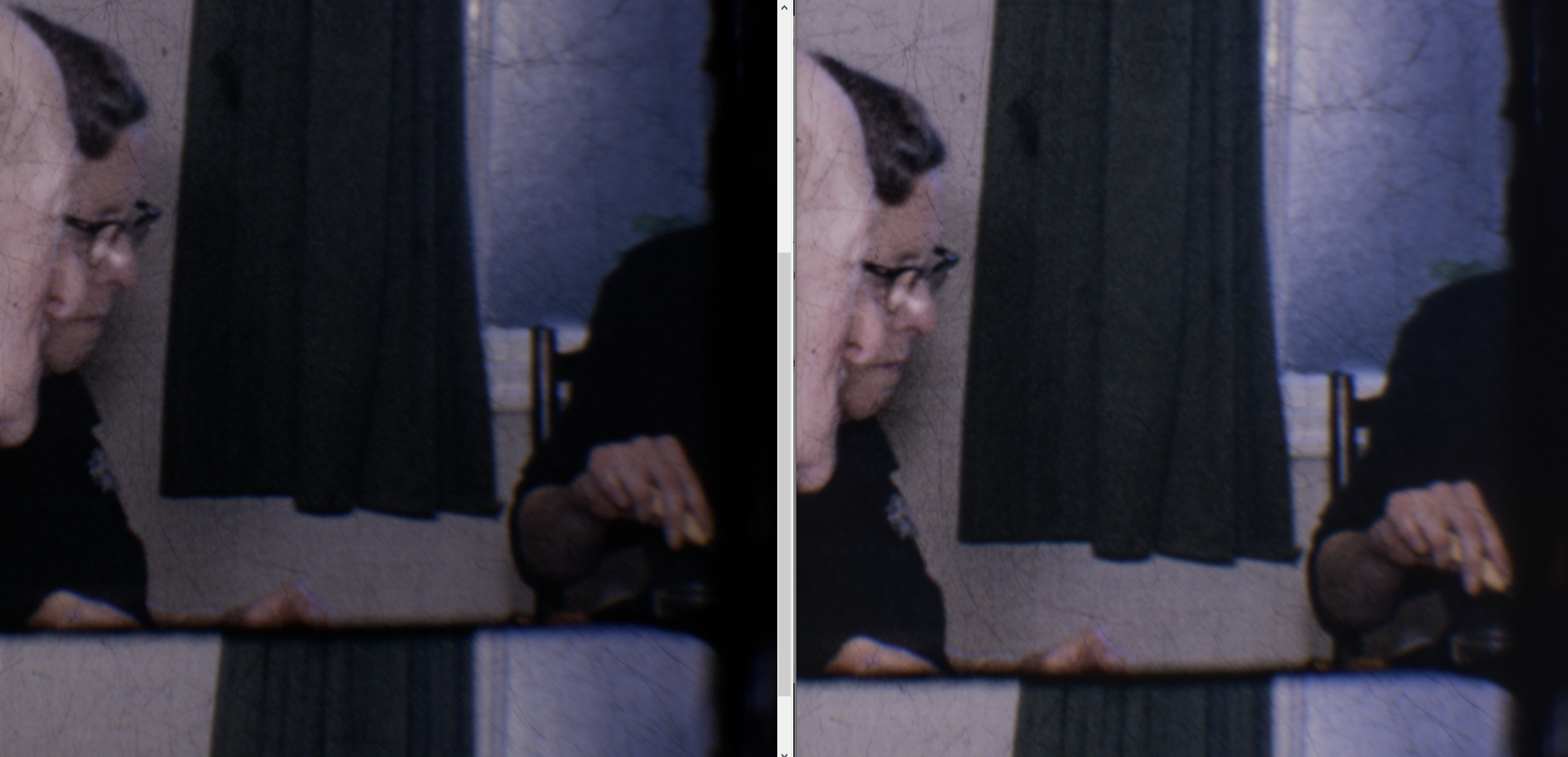
Im doing the code for the sprocket detection, Its working ok, but i just noticed something on the captured image, and its annoying me.

For some reason, after i made some adjustments to the positioning of the lens, its now giving me a weird blue hue around the sprocket holes. But only at the top of the image for some reason.

Yes i know the film is upside down

HO LEE FUK

I have spent all day trying to work out why the app was showing in the corner of the screen, no matter how much fucking about i did on the pi, it did not display correctly.

So i figured it must be fairly easy, which it was in the end. But getting to that point was a fucking chore.

Anyway, Its now running in fullscreen.

Whats weird is that in that image, everything on the screen looks like it has a blue haze over it. But looking at it irl, it looks perfectly normal.

I will probably reduce the resolution down a little as the buttons are pretty fucking small for a touchscreen interface.
The screen i have is 1024x600 native resolution, but will accept 1080p and scale the image to fit. Im gonna try a few different resolutions, and see what looks best.

Showing posts 101-120 of 327